How to Customize Your Publication
Once you have the Publication created, you can start customizing your Publication.
To do this:
- Click on your profile icon top right of screen
- Click on My profile
- On the left-hand menu you will see Publications
- Select your Publication
- Alternatively click on your avatar icon top right of screen and simply click your Publication's name
- Select Edit Publication
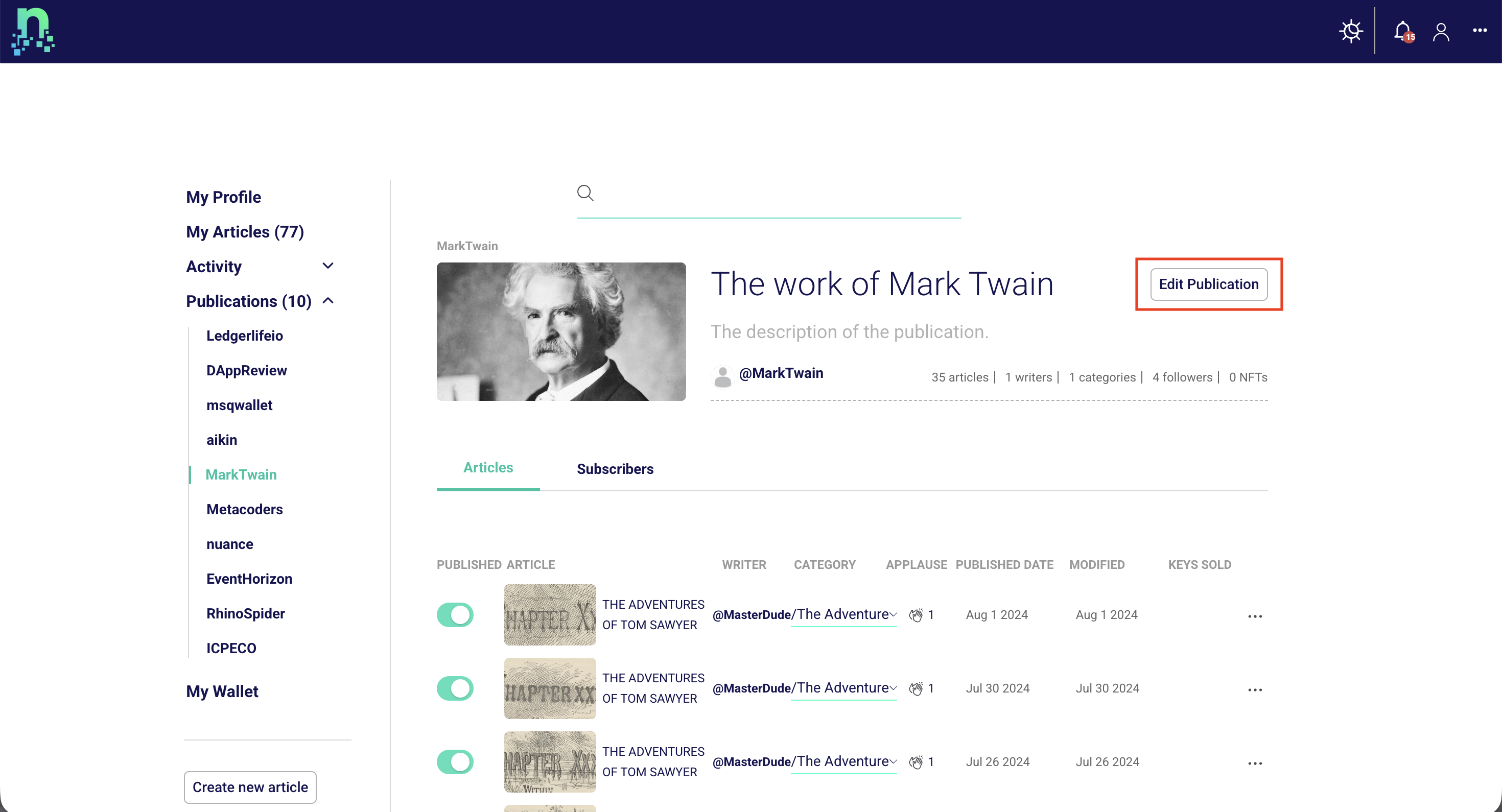
Editing a Publication
There are multiple things you can customize in your Publication:
- Upload header image (preferably landscape orientation). This will be displayed at the top of your landing (home) page. It will also display on each category page (with a reduced height).
- Add title. This will be overlayed on your header image.
- Add a sub-title. This will be overlayed on your header image.
- Add a short description. This will be displayed on the left-hand side panel underneath your avatar.
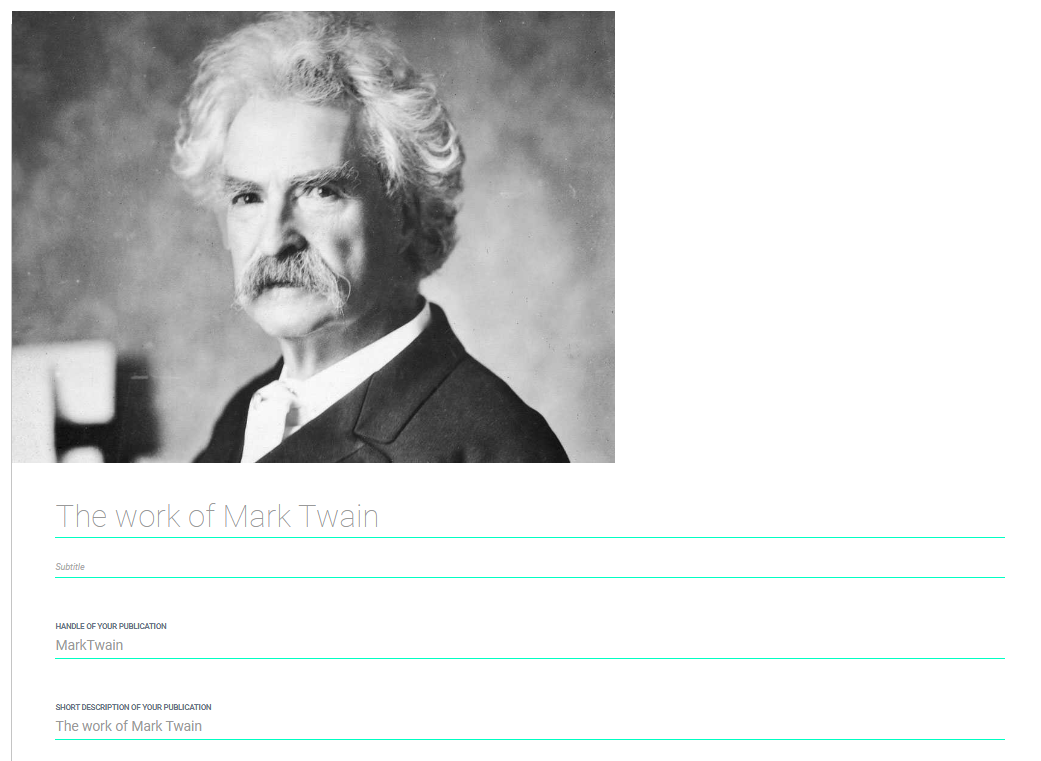
Header Image, Title, Subtitle, and Description.
- Add an avatar.
- Add a logo for the breadcrumb menu (208px*66px).
- Choose your color for the trim.
- Choose your font.
- Toggle and edit your Publication banner (CTA).
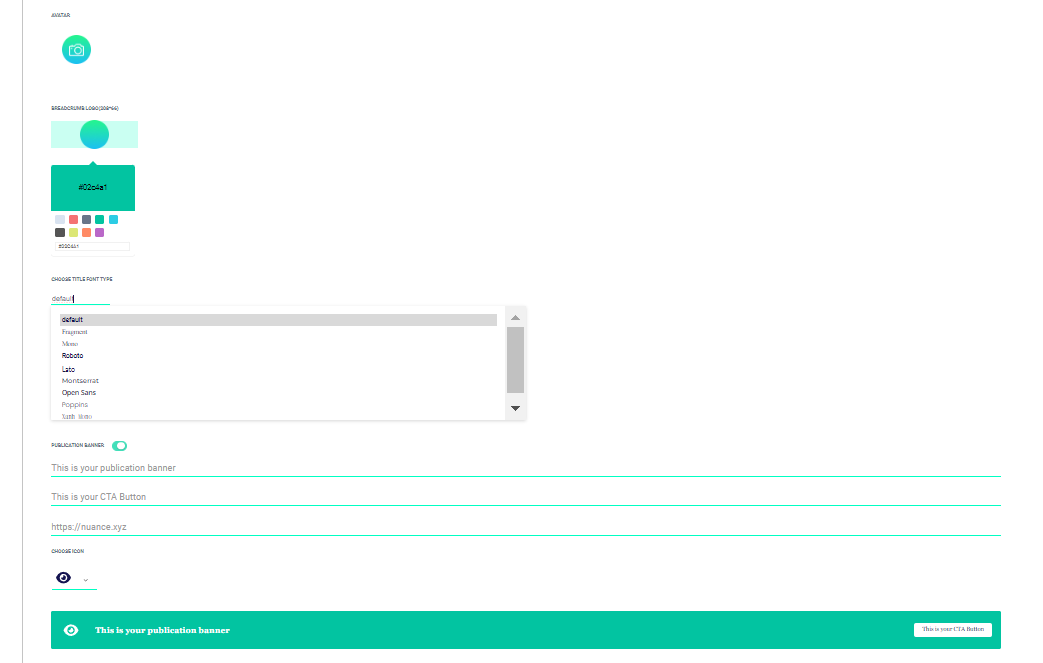
Avatar, Logo, Color, Font, and Banner Options.
- Add categories.
- Add your editors.
- Add your writers.
- Add links to your other social platforms.
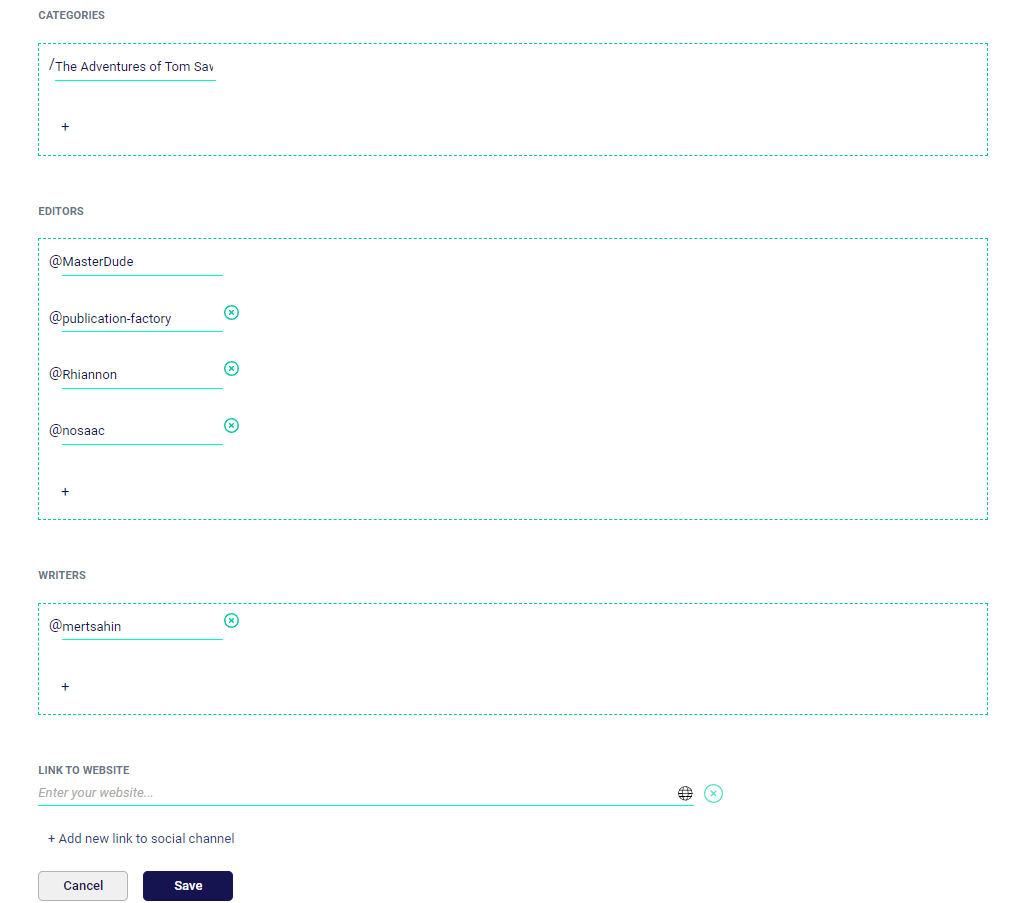
Categories, Editors, Writers, and Social Links.